Gaming-grade precision meets all-day ergonomics without the high price tag—is this the best productivity mouse for power users?
If you’re like me and spend your entire workday editing, writing, and multitasking—only to transition straight into gaming or creative projects at night—finding a mouse that keeps up is non-negotiable. For years, the Logitech MX Master series has been the default recommendation, but dropping over £100/$120 on an office mouse is a tough pill to swallow. On top of that, having larger “bear paw” hands makes finding a genuinely comfortable, fatigue-free shape even harder.
That’s when I got my hands on the Rapoo MT760 Pro. It goes head-to-head with top-tier productivity mice by combining an ultra-ergonomic sculpted chassis with a legitimate gaming-grade sensor and next-gen multi-device connectivity—all at a fraction of the cost.
(Tip: Use Amazon voucher code at the bottom of article for a discount)
Unboxing & First Impressions
The MT760 Pro arrives in clean, high-quality retail packaging rather than the generic cardboard you often see in this price bracket. Everything is neatly organized right out of the box: the mouse itself, a USB-A to USB-C charging cable, a user manual, and two NearLink USB receivers (one in the box and a second stowed securely in a magnetic hidden compartment underneath the mouse base).


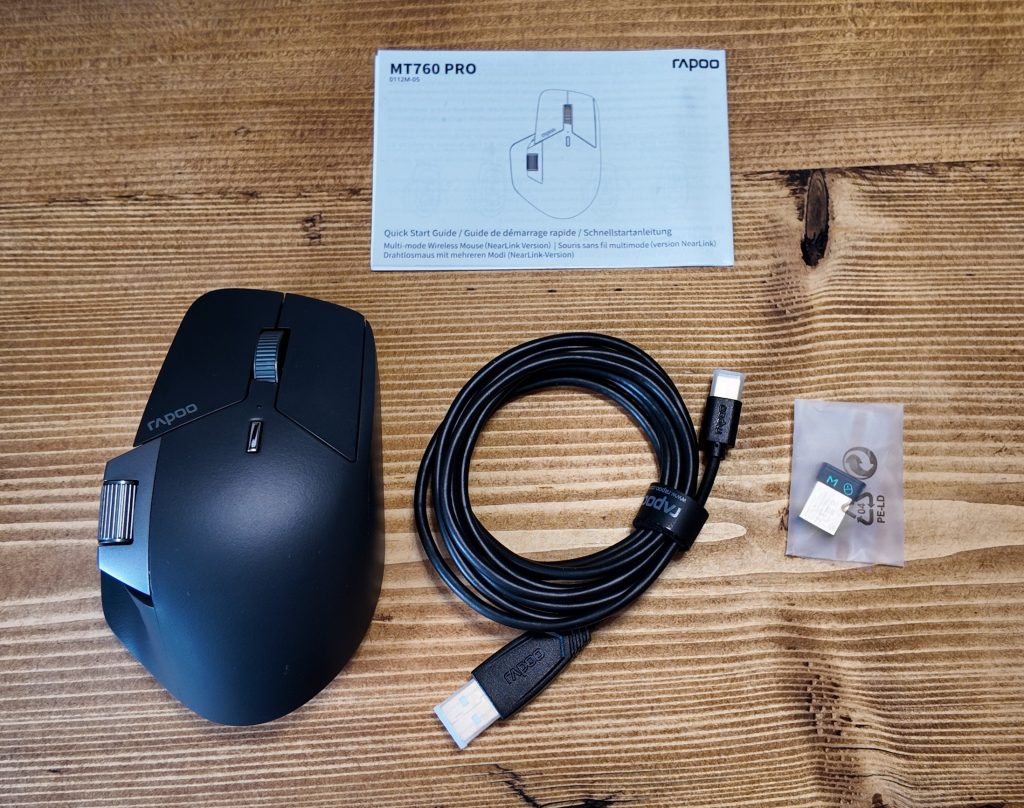
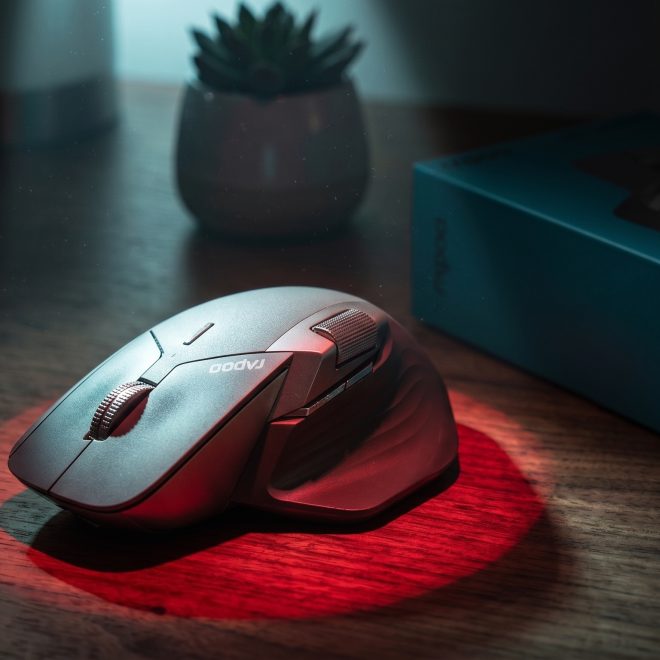
Setting it up is instantaneous. The included USB-C cable allows you to charge and use the mouse simultaneously. In the hand, the build quality is immediately impressive. It has a reassuring, solid weight without feeling clunky or cheap. The contoured thumb rest, rubberized side grips, and sleek light-gray finish look right at home on any modern desk setup.
One subtle detail I fell in love with after day one is the whisper-quiet primary switches. The left and right clicks are virtually silent, delivering crisp tactile feedback without the loud, distracting clicks that fill an office or late-night room.
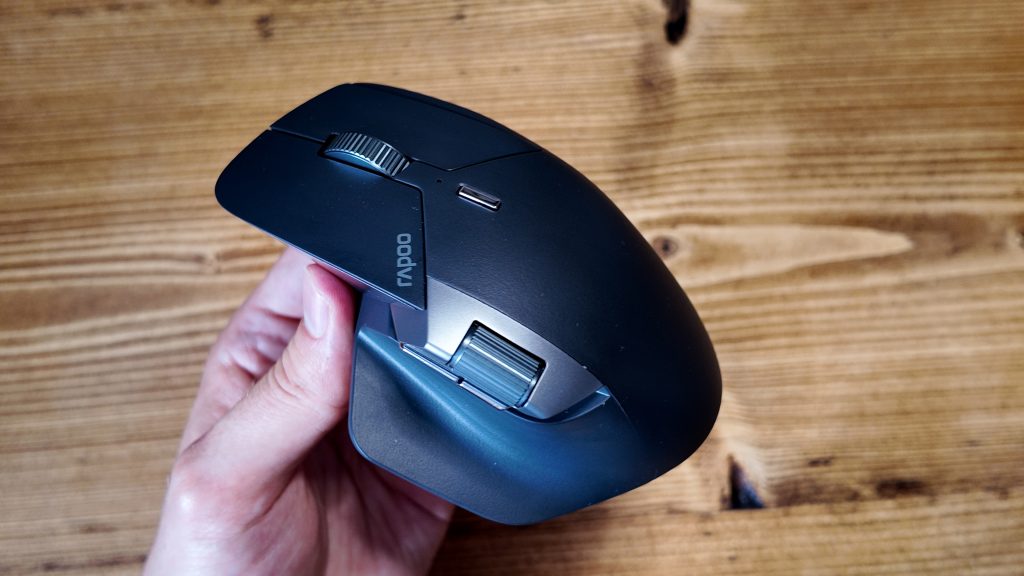
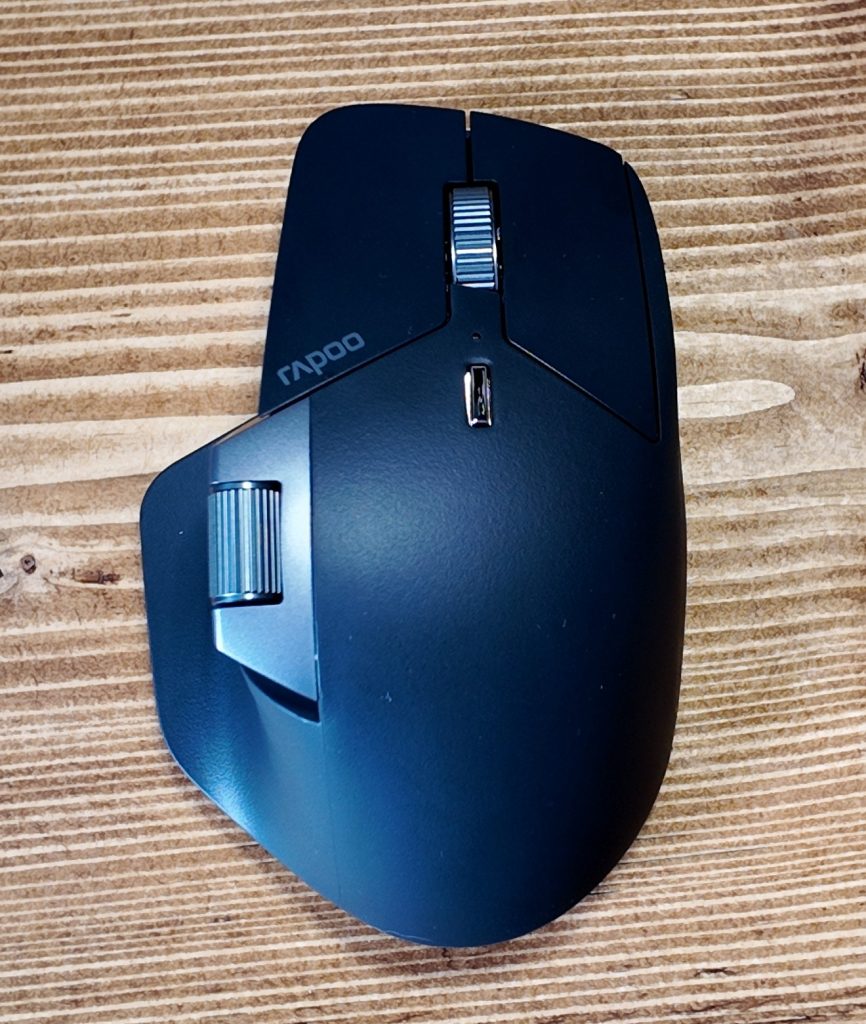

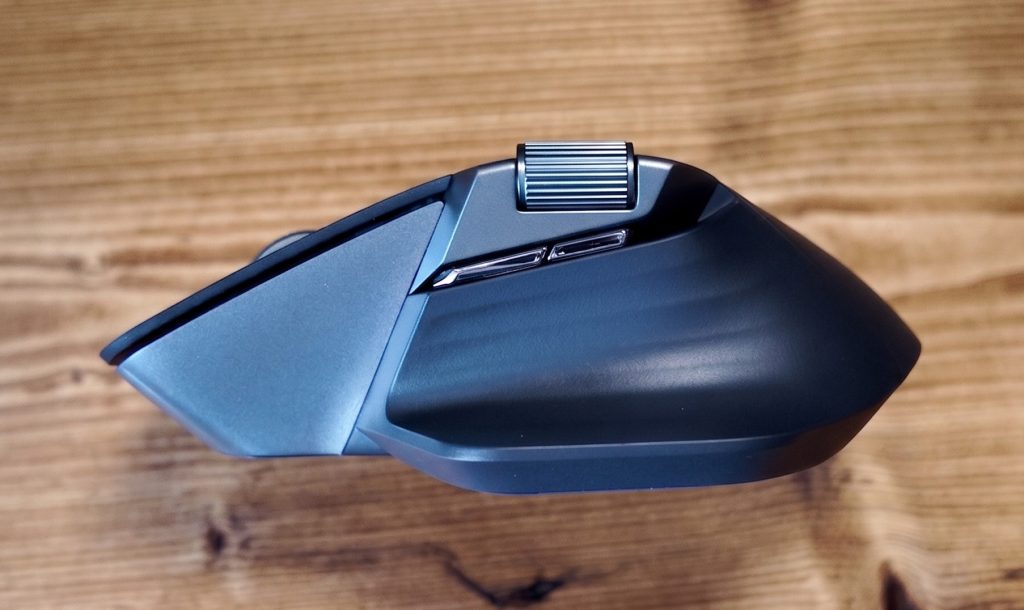
Across the MT760 Pro, you get 11 programmable buttons that you can tailor to your exact workflow using the driver software. Up top, you’ve got the whisper-quiet primary clicks, a textured aluminium scroll wheel with a middle click, and a dedicated DPI button for cycling through sensitivity on the fly. Over on the sculpted thumb rest sits a smooth magnetic Hall-effect side wheel—ideal for scrubbing video timelines or wide spreadsheets—paired with two side buttons that sit right where your thumb naturally rests, which I immediately remapped to copy and paste. Around the base, you’ll find a dedicated channel-switch button to instantly hop between your paired PCs and a customisable DIY button.
Key Features
The Rapoo MT760 PRO boasts:
- Gaming-Grade Optical Engine: Powered by a PAW 3311 sensor delivering crisp tracking and up to 12,000 DPI across 7 customizable presets.
- Next-Gen NearLink Wireless: Integrates the best of Wi-Fi and Bluetooth for 60% lower power consumption, 6x transfer speed, 1/30th the latency, and +7dB anti-interference.
- 1 Mouse, 7 Connected Devices: Seamlessly toggles across 2 NearLink dongles, 3 Bluetooth channels, 1 direct NearLink connection, and wired USB-C mode across Windows, macOS, Android, and Chrome OS.
- M+ Cross-Screen File Transmission: Move your cursor across multiple PCs and copy/paste files, text, and images over local Wi-Fi without bloated background software.
- Dual Metal Scroll Wheels: Features an aluminum alloy central wheel rated for 1 million clicks alongside a smooth Hall-effect magnetic side scroll wheel for horizontal navigation.
Pros and Cons of the Rapoo MT760 PRO
- Exceptional Large-Hand Ergonomics: Sculpted contour and rubberized thumb rest prevent hand fatigue during marathon work sessions.
- True Hybrid Performance: The PAW 3311 sensor allows you to seamlessly switch from office spreadsheets to fast-paced evening gaming.
- Massive 120-Day Battery: USB-C fast charging provides a full day of battery life from just a 5-minute top-up.
- Dual Receivers Included: Out of the box, two separate PCs can connect instantly via dedicated 2.4GHz/NearLink dongles.
- Onboard Memory: Custom macros, button remaps, and DPI curves save directly to the mouse hardware.
- Sensitive Middle Click: The primary scroll wheel’s middle button has light resistance, making it easy to trigger accidentally while scrolling fast.
- Software Pairing Curve: Mac users and multi-device LAN sharing require a quick initial driver installation to configure all shortcuts.
Technical Specifications
| Sensor | PixArt PAW 3311 Optical Gaming Sensor |
| DPI Presets | 800 / 1200 / 1600 / 2400 / 3200 / 6400 / 12000 (Adjustable in 50-DPI steps) |
| Connectivity | 2x NearLink USB Dongles, 3x Bluetooth 5.0 channels, Direct NearLink, USB-C Wired |
| Total Programmable Buttons | 11 Buttons with On-Board Hardware Memory |
| Scroll Wheels | Aluminum Center Wheel (1M-click rated) + Hall-Effect Magnetic Side Wheel |
| Battery Life | Up to 120 Days per full charge; 5-min fast charge = 1 day of use |
| Compatibility | Windows, macOS, Linux, Chrome OS, Android |
| In The Box | MT760 Pro Mouse, 2x NearLink Dongles, USB-A to USB-C Cable, User Manual |
Standout Feature: M+ Cross-Screen & NearLink Tech
The inclusion of Rapoo’s proprietary NearLink technology and M+ cross-screen functionality sets this mouse apart from standard office peripherals.
- Effortless Multi-PC Workflow If you jump between a work laptop and a home desktop, you can move your cursor seamlessly across monitors and copy/paste files directly over your LAN without relying on cumbersome cloud transfers or heavy background apps.
- Ultra-Low Latency NearLink Delivering a fraction of the delay found on standard Bluetooth mice, NearLink ensures pointer tracking feels responsive enough for precision photo editing and competitive gaming alike.
- Hardware Onboard Memory Customize your 11 button functions, thumb triggers, macros, and DPI steps in the driver software once, and the onboard chip remembers them even when switching devices.
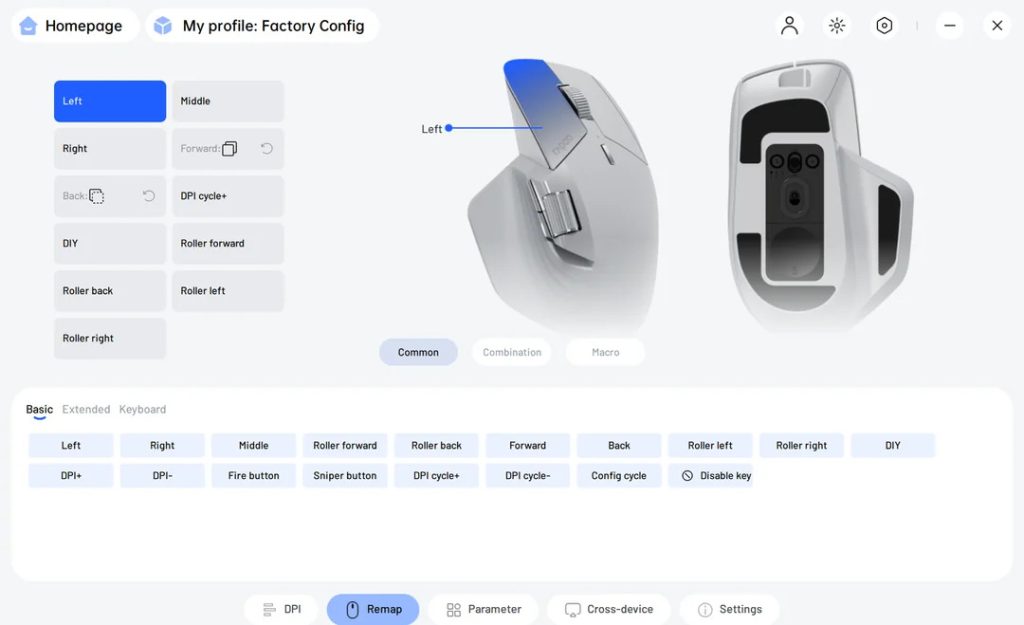
On top of that, the companion software is a real highlight. Available either as a downloadable app or directly through your web browser, it is remarkably intuitive while delivering serious flexibility, making it effortless to fully remap the buttons and fine-tune your settings to suit your workflow.
Final Thoughts
If you want the premium feel, thumb controls, and cross-device workflow of the Logitech MX Master series without spending triple digits, the Rapoo MT760 PRO is easily one of the best value mice on the market. Combining silent switches, top-tier ergonomics for medium-to-large hands, and a responsive PAW 3311 sensor, it easily masters both the workday hustle and after-hours gaming.
Where to buy:
RAPOO322
4NUZ2K97
RAPOO322
Watch the Helpful Penguin Unboxing Video on the Rapoo MT760 PRO
(Note: This device was provided free of charge to Helpful Penguin by Rapoo to review).